

Imagine having the power of ChatGPT running directly on your laptop. No more API calls, no more internet dependency, and no more worrying about your data being sent to the cloud.
Remember the first time you discovered you could run a database locally instead of relying on a remote server? That same excitement is happening now with AI models. But this time, it's even bigger.
In this issue, we will dive deep into
The world of local AI models.
Setting up Ollama
Using Open-Source Models
Recently Announced Open-Source Models by Open-AI
Ready to bring AI home? Let's get started.
Understanding Open-Source Models
Open-source models are AI language models whose code, architecture, and weights are publicly available for anyone to download, modify, and run locally. Unlike closed models like ChatGPT that live on remote servers, open-source models give you complete control over the AI running on your machine.
This means no more API rate limits, no data leaving your machine, and the freedom to customize models for your specific needs.
Some popular open-source models include
Meta's Llama 2 (7B-70B parameters, ~4-40GB), which excels at general conversation and coding tasks;
Mistral AI's Mixtral 8x7B (~13GB), known for its exceptional reasoning capabilities and multilingual support;
Google's Gemma 2B/7B (~1.5-4GB), optimized for safety and efficiency in production environments; and
Microsoft's Phi-2 (2.7B parameters, ~1.5GB), perfect for lightweight applications and edge devices.
There are tools like Ollama and LMStudio making it incredibly easy to download and run these models, while platforms like Hugging Face host thousands of open-source models you can experiment with.
The Game-Changer: OpenAI's GPT-OSS Models
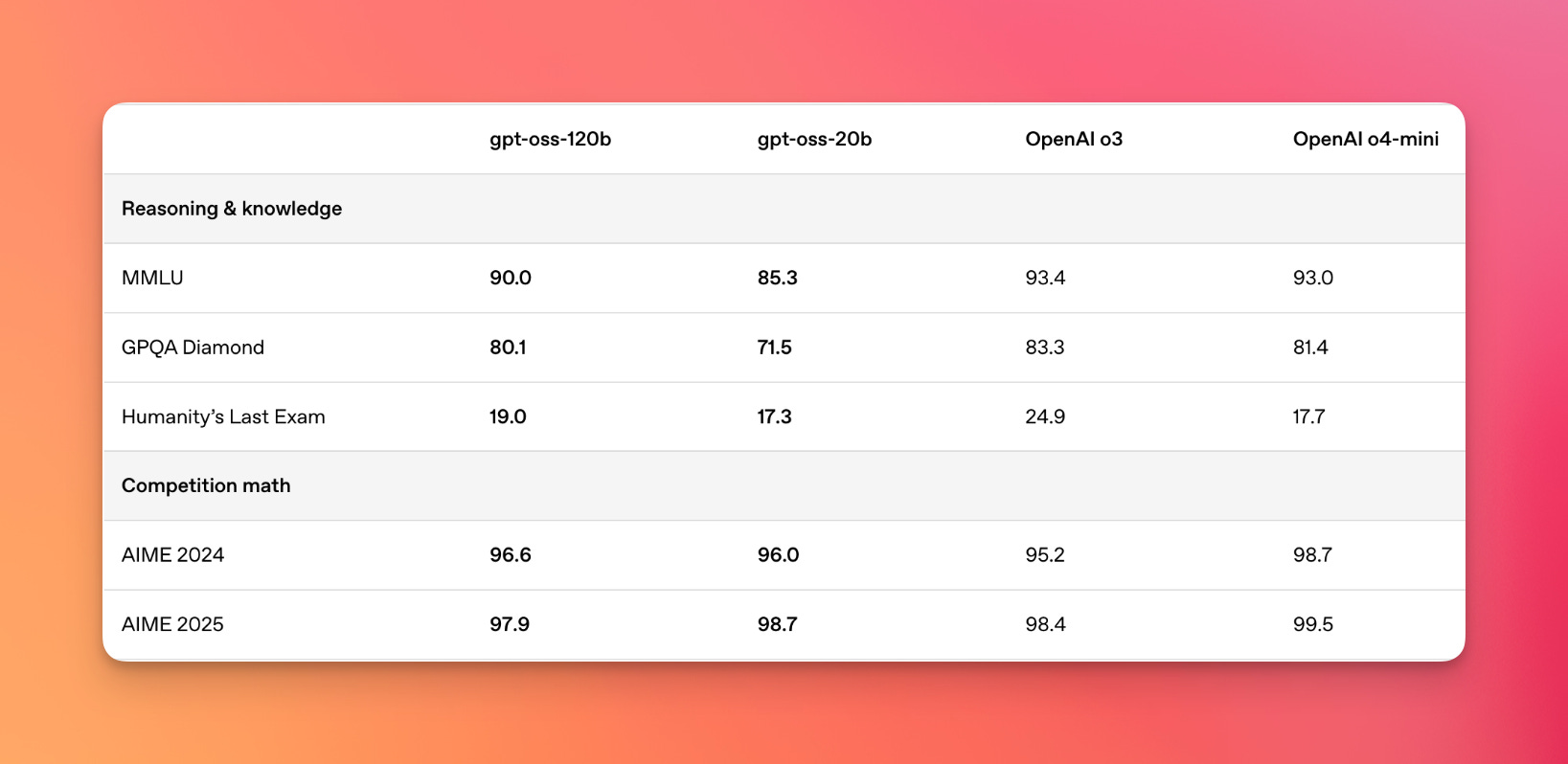
In a move that sent shockwaves through the AI community, OpenAI recently open-sourced two powerful models: GPT-OSS-20B (~12GB) and GPT-OSS-120B, marking a pivotal moment in the democratization of AI technology.
The GPT-OSS-20B model is particularly revolutionary because it can run on Apple Silicon MacBooks with just 16GB RAM. Main Highlights
Agentic capabilities: Use the models’ native capabilities for function calling, web browsing (Ollama is introducing built-in web search that can be optionally enabled), python tool calls, and structured outputs.
Full chain-of-thought: Gain complete access to the model’s reasoning process, facilitating easier debugging and increased trust in outputs.
Configurable reasoning effort: Easily adjust the reasoning effort (low, medium, high) based on your specific use case and latency needs.
Fine-tunable: Fully customize models to your specific use case through parameter fine-tuning.
Permissive Apache 2.0 license: Build freely without copyleft restrictions or patent risk—ideal for experimentation, customization, and commercial deployment.
The model's performance on coding tasks, creative writing, and logical reasoning has exceeded expectations, with many users reporting response quality comparable to GPT-3.5, but with the added benefits of privacy, customization, and offline operation.
Setting up Ollama & Running Models Locally
Now, we have understood a bit about Open-Source models, and the power of latest gpt-oss models. Let’s see how we can set them up on our macbooks.
Using the App
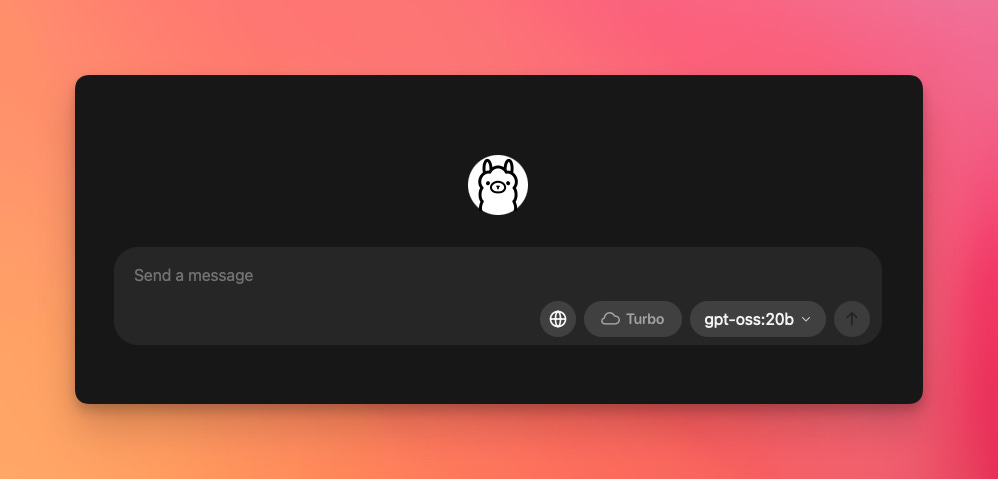
Ollama provides a clean, intuitive interface that makes interacting with your local models as easy as using ChatGPT.
Download & Simply Open Ollama Mac App and It provides a familiar chat interface with local-model running. You can switch the model, view chat history and run inference.
The app interface supports conversation history, model switching, and even allows you to adjust context-length in the settings.
Command Line Magic: Terminal Usage
For developers who prefer the terminal, you can run and interact directly at Terminal.
ollama list
ollama pull gpt-oss-20b
ollama run gpt-oss-20b
API Integration: Connecting to Your Applications
The real power comes when you integrate Ollama into your applications via its REST API.
Ollama runs a local server on port 11434, allowing you to make HTTP requests just like you would with OpenAI's API, but with zero latency and complete privacy.
Send POST requests to http://localhost:11434/api/generate with your prompts, and receive responses that can be integrated into any application—from chatbots to content generators to code assistants.
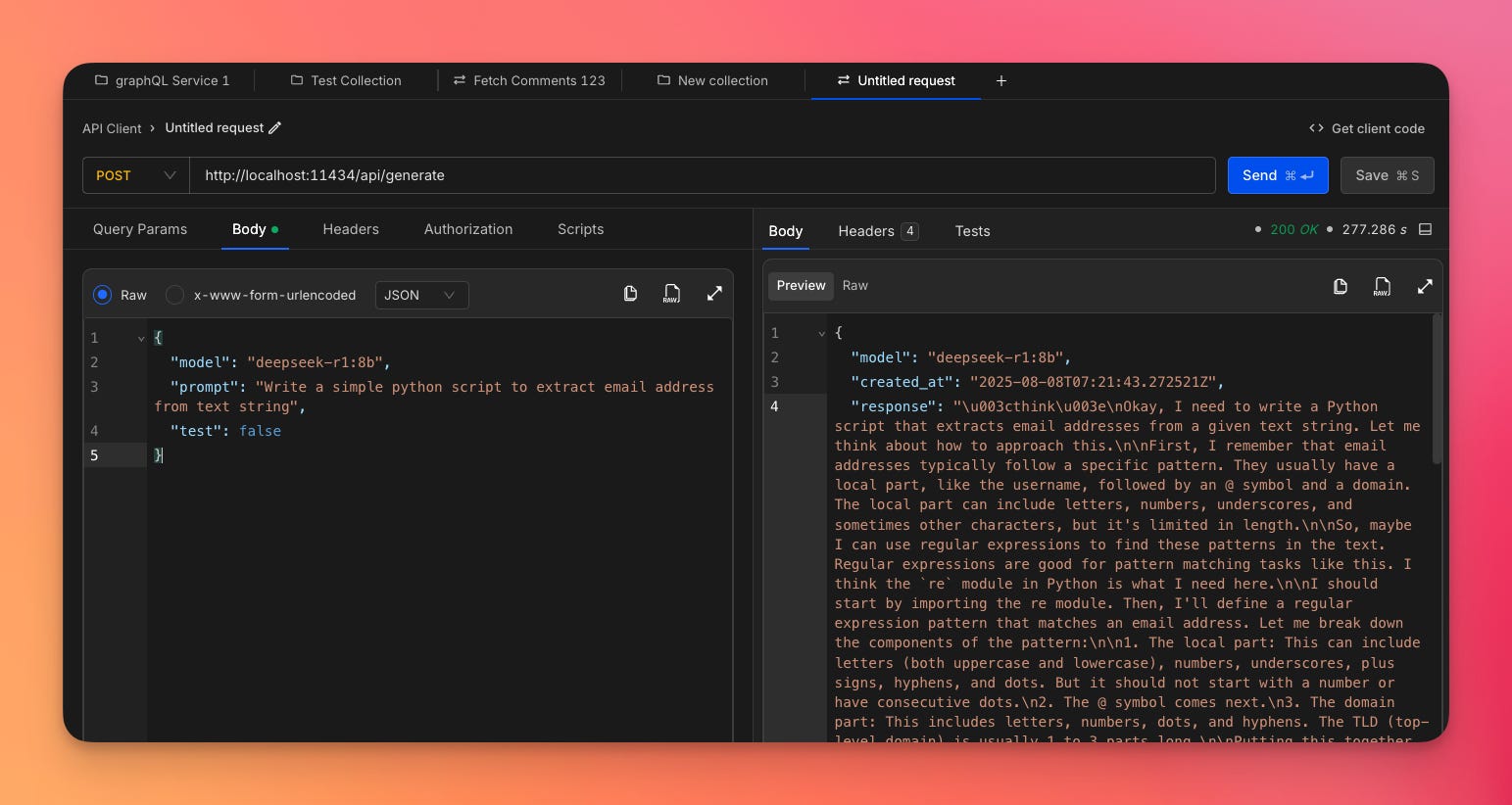
You can use Postman, Insomnia or Requestly to try out the API requests.
Sample Code: Building with Local Models
Here's a simple Python example that demonstrates how to integrate Ollama & local models into your applications:
import requests
import json

def query_local_model(prompt, model="gpt-oss-20b"):
    url = "http://localhost:11434/api/generate"
    data = {
        "model": model,
        "prompt": prompt,
        "stream": False
    }

    response = requests.post(url, json=data)
    return response.json()["response"]

# Example usage

result = query_local_model("Write a function to calculate fibonacci numbers")
print(result)
This simple setup gives you the same capabilities as cloud APIs, but with complete control over your data and no usage costs.
Conclusion
Local LLMs put powerful AI on your laptop: private by default, cost-predictable, customizable, and fast.
With GPT‑OSS‑20B running on 16GB Macs via Ollama, you can prototype chatbots, code helpers, and offline tools today—no cloud dependency.
Here's a small exercise you should try out yourself:
Install Ollama, pull a model, wire the REST API
Ship a tiny feature that proves value.
From there, iterate—add RAG, refine prompts, benchmark against your hosted stack, and decide what stays local vs. remote.
The local AI era is here—build something useful this week.